Applications
OpenGRC provides application inventory management to track software applications used across the organization. Each application is linked to a vendor, enabling integrated third-party risk management.
Overview
Application management in OpenGRC enables organizations to:
- Maintain a software application inventory
- Track application ownership and accountability
- Categorize applications by type and deployment model
- Manage application approval status
- Link applications to vendors for risk assessment
- Control shadow IT through approval workflows
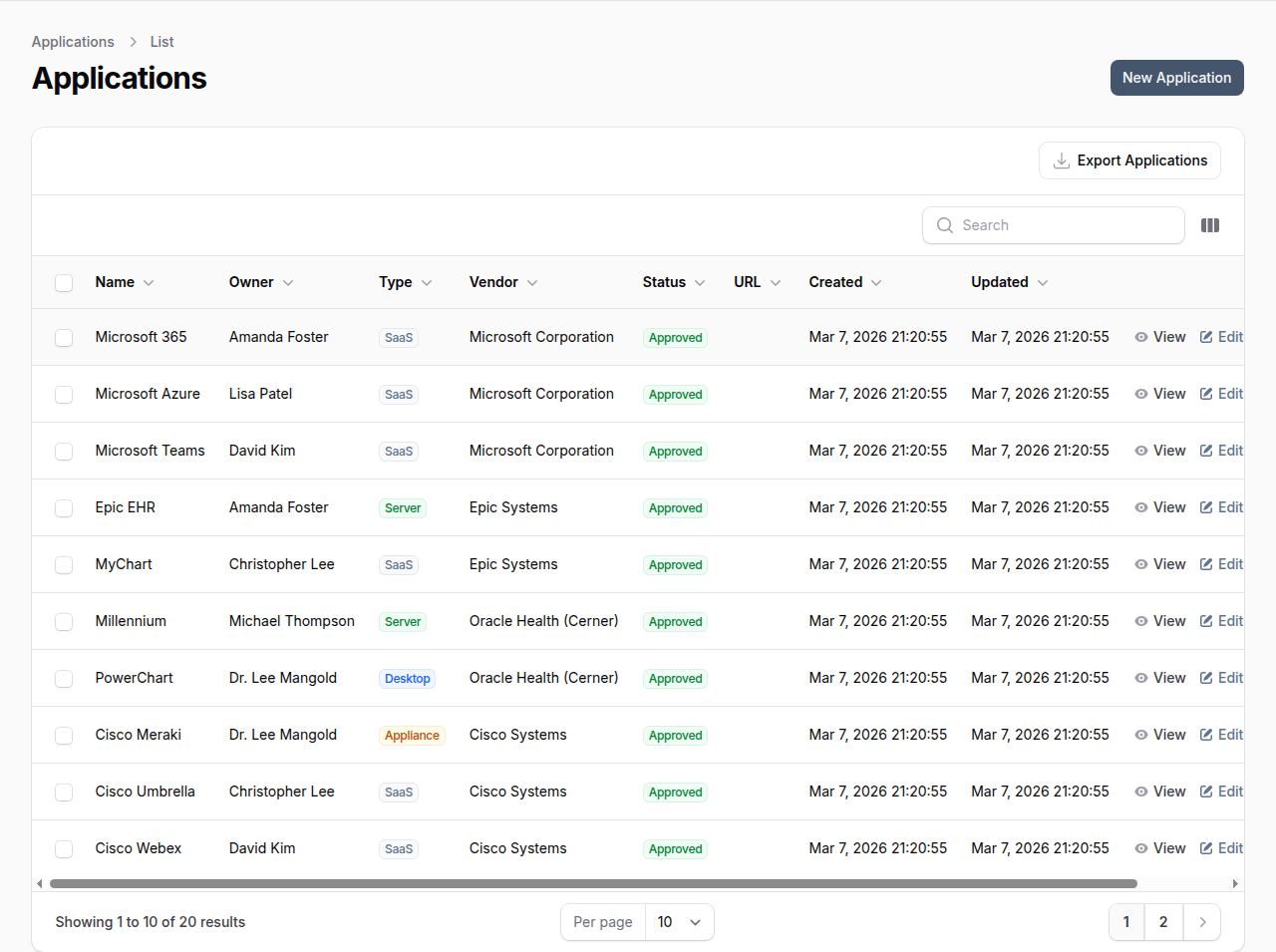
Application Attributes
Each application record includes:
| Field | Description |
|---|---|
| Name | Application name |
| Owner | User responsible for the application |
| Type | Application type (SaaS, Desktop, Server, etc.) |
| Status | Approval status |
| Vendor | Vendor providing the application (required) |
| URL | Application URL or access point |
| Description | Detailed description of the application |
| Notes | Internal notes |
| Logo | Application logo image |
Application Types
Applications are classified by deployment type:
| Type | Description |
|---|---|
| SaaS | Cloud-based software as a service |
| Desktop | Locally installed desktop application |
| Server | Server-based application |
| Appliance | Hardware/software appliance |
| Other | Other application types |
Application Statuses
| Status | Description |
|---|---|
| Approved | Application is approved for use |
| Rejected | Application is not approved for use |
| Limited | Application approved with restrictions |
| Expired | Application approval has expired |
Vendor Requirement
Every application in OpenGRC must be linked to a vendor. This requirement ensures:
- All third-party software is tracked with its provider
- Vendor risk assessments cover associated applications
- Changes to vendor status affect related applications
- Complete visibility into vendor-application relationships
If an application's vendor is not yet in the system, add the vendor first before creating the application.
Creating an Application
- Ensure the vendor exists in Vendor Management (create it first if needed)
- Navigate to Applications in the main navigation
- Click New Application
- Enter the application Name
- Select the Owner, Type, Status, and Vendor
- Optionally add a URL, Description, Notes, and Logo
- Click Create to save
Viewing an Application
The application detail view shows all attributes and linked entities.
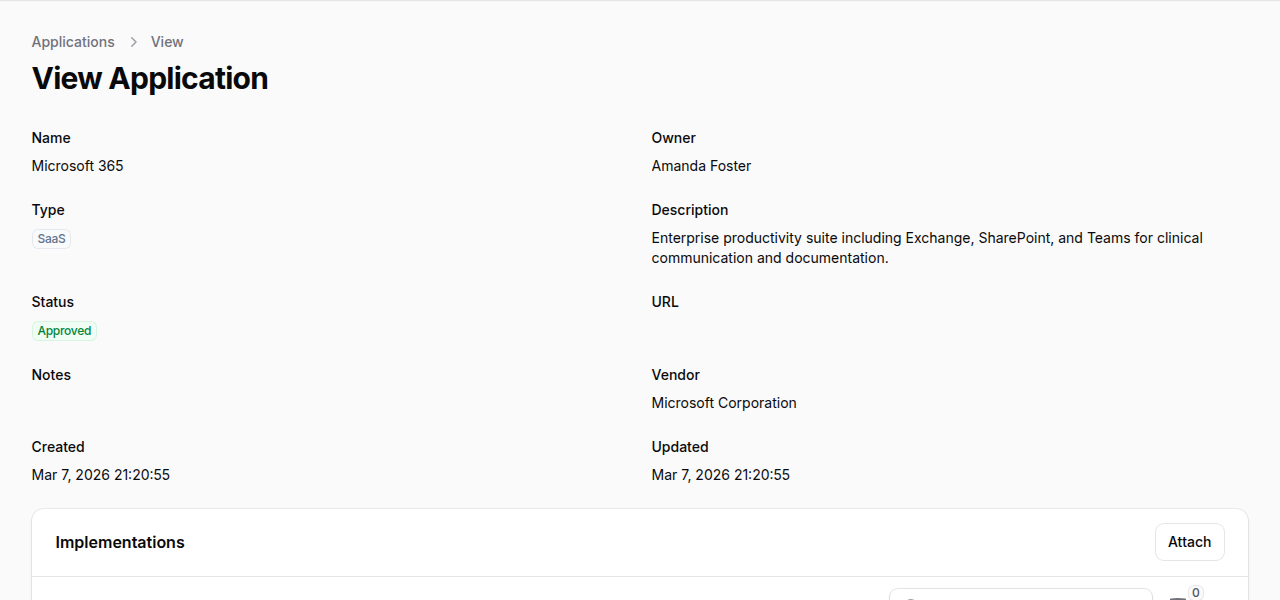
The detail view includes:
- Name and Owner at the top
- Type and Status badges
- Description and URL
- Vendor link to the associated vendor record
- Implementations tab to link related control implementations
Application-Vendor Relationship
Viewing Vendor's Applications
From a vendor detail page, go to the Applications tab to see all applications from that vendor.
Vendor Status Impact
When a vendor's status changes, review associated applications:
- If vendor is Rejected -- Consider rejecting related applications
- If vendor is Terminated -- Plan application migration or replacement
- If vendor is Expired -- Review and renew or replace applications
Filtering and Searching
Search applications by name, owner, or vendor name.
Filter applications by:
- Type -- SaaS, Desktop, Server, etc.
- Status -- Approved, Rejected, Limited, Expired
- Vendor
- Owner
Shadow IT Control
Use application management to control shadow IT:
- Document all applications -- Create records for all known applications
- Assign owners -- Ensure every application has an accountable owner
- Require approval -- Use status to track approval state
- Link to vendors -- Connect applications to vendor risk assessments
- Regular review -- Periodically audit the application inventory
Best Practices
- Link all applications to vendors -- Ensure complete vendor visibility
- Assign clear ownership -- Every application needs an accountable owner
- Use appropriate types -- Categorize applications accurately for reporting
- Review status regularly -- Keep approval status current
- Document decisions -- Use notes to record approval reasoning
- Connect to vendor assessments -- Consider vendor risk when approving applications
- Track URLs -- Maintain accurate access URLs for reference
- Audit periodically -- Regularly review the application inventory for accuracy